

Modern drivers want seamless connectivity between their smartphones and vehicles. CarPlay wireless dongles offer exactly that—an easy way to transform a wired infotainment system into a wireless one. Instead of plugging your phone in every time you get behind the wheel, a wireless dongle automatically connects, allowing hands-free access to maps, calls, music, and voice assistants.
This guide will walk you through everything you need to know before buying a CarPlay wireless dongle: what to look for, common pros and cons, who benefits most, and answers to frequently asked questions.
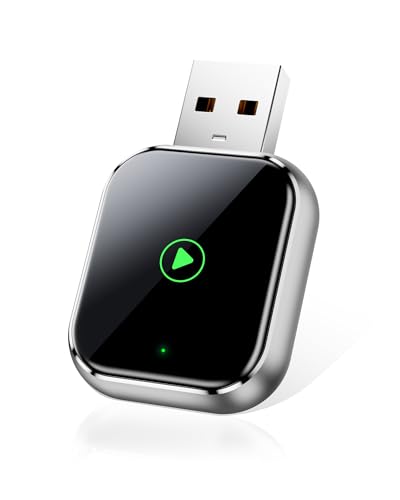
What to Consider Before Buying
Not all wireless dongles are created equal. Before making a purchase, consider the following factors:
1. Compatibility with Your Vehicle and Phone
- Ensure the dongle works with your car’s infotainment system. Some models only support certain car years or system versions.
- Check if the dongle supports CarPlay specifically. Some dual-function models also support Android Auto, but not all.
2. Connection Speed and Stability
- A good dongle should connect within seconds of starting your vehicle.
- Look for low-latency devices to prevent lag when switching songs or answering calls.
3. Ease of Setup
- Most dongles are plug-and-play, but some may require initial configuration.
- Consider user-friendly interfaces for smoother setup.
4. Audio and Call Quality
- High-quality dongles ensure clear voice calls and smooth music streaming.
- Interference or poor-quality models may lead to dropouts or distortion.
5. Size and Design
- A compact dongle won’t clutter your dashboard.
- Some models have sleek designs that blend seamlessly with your vehicle’s setup.
6. Firmware Updates
- Good dongles receive updates to stay compatible with new iOS versions.
- Ensure the model has a way to install updates easily, often through a companion app or website.
Product Summary
To help simplify decision-making, here’s a quick comparison table of what to expect from typical CarPlay wireless dongles:
| Feature | Standard Dongle | Premium Dongle |
|---|---|---|
| Compatibility | Works with most vehicles after 2016 | Wider range of vehicles, supports more system versions |
| Connection Speed | 10–20 seconds | 5–10 seconds |
| Audio Quality | Good, occasional lag | High-definition audio with minimal lag |
| Setup Process | Plug-and-play | Plug-and-play, plus advanced customization |
| Firmware Updates | Occasional updates | Frequent updates with app support |
| Design | Small and functional | Sleek, compact, premium look |
Pros & Cons
Pros
- Convenience: No more plugging in your phone each time you drive.
- Safety: Hands-free use reduces distractions, keeping eyes on the road.
- Enhanced Comfort: Quick access to navigation, calls, and music.
- Compatibility: Many dongles work across a wide range of vehicles.
- Future-Proof: Firmware updates often keep dongles working with new iOS versions.
Cons
- Connection Delays: Some models take longer to connect after startup.
- Occasional Lag: Not all dongles handle real-time audio perfectly.
- Limited Compatibility: Older vehicles or systems may not work.
- Learning Curve: Some users need time to get used to wireless performance quirks.
Who It’s Best For
CarPlay wireless dongles can benefit a wide variety of drivers:
- Daily Commuters: Save time by eliminating repetitive cable plugging.
- Long-Distance Drivers: Maintain continuous wireless access to navigation and entertainment.
- Tech Enthusiasts: Enjoy the convenience of cutting-edge in-car connectivity.
- Families: Make road trips smoother with wireless music and communication access.
- Frequent Callers: Keep calls hands-free and safer while driving.
FAQs
1. Do all cars support CarPlay wireless dongles?
No. Your car must already support wired CarPlay through its infotainment system. The dongle simply converts it into a wireless connection.
2. Will a dongle affect sound quality?
Most dongles maintain clear audio, but lower-end models might experience minor lag or interference. Premium versions tend to provide smoother sound quality.
3. Is the connection secure?
Yes, wireless dongles use encrypted connections. However, connection stability can vary depending on the model and environment.
4. Do dongles drain the car battery?
No, they are powered by the car’s USB port and shut down when the car is turned off.
5. Can a dongle support multiple phones?
Some models allow pairing with multiple devices, but only one phone can be active at a time.
Final Recommendation
A CarPlay wireless dongle is a practical upgrade for anyone tired of connecting their phone with a cable every drive. It improves convenience, enhances safety, and makes your overall driving experience smoother.
When choosing the right dongle, prioritize compatibility, connection speed, and update support. For casual users, a standard dongle offers reliable performance at a reasonable price. For tech-savvy drivers or those who value speed and stability, a premium dongle with frequent updates is worth the investment.
In short: if you want a more seamless, cable-free driving experience, a CarPlay wireless dongle is one of the simplest and most effective upgrades you can make to your vehicle.