
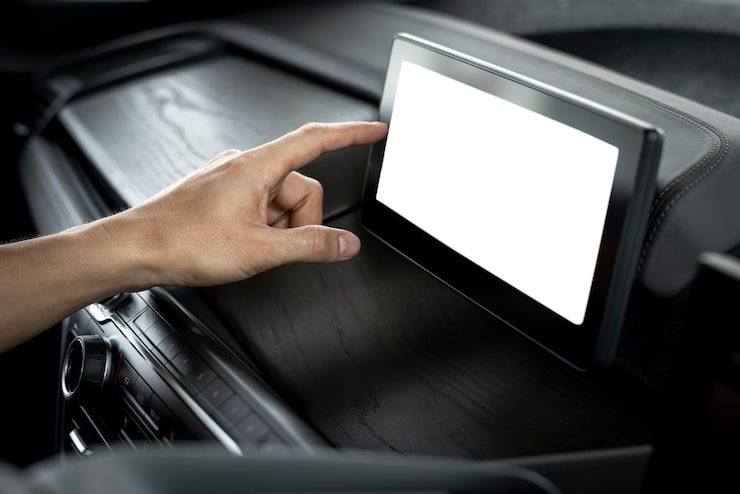
Staying connected while driving has become an essential part of modern life. From navigating unfamiliar roads to streaming music and answering calls safely, having an intuitive infotainment system makes driving both safer and more enjoyable. Unfortunately, many cars—especially older models—don’t come with built-in smart displays.
That’s where a wireless portable Car Play screen comes in. These devices bring modern connectivity to your dashboard without requiring a complete car stereo replacement. Compact, easy to install, and versatile, they allow you to access navigation, calls, music, and apps—all through a simple, wireless connection.
If you’re considering upgrading your car with one of these screens, this buying guideline will walk you through what to look for, the pros and cons, different types available, and expert tips to help you make the best decision.
Devices | Features | Price |
|---|---|---|
Wireless Portable Car Play Screen | Mirror Link |
What to Consider Before Buying a Wireless Portable Car Play Screen
Not all screens are the same, and choosing the right one depends on your needs, driving habits, and car setup.
1. Screen Size and Resolution
- Compact Screens (7–9 inches): Best for small cars or minimal dashboards.
- Larger Screens (10–12 inches): Provide better visibility, especially for navigation.
- Resolution matters—higher resolution ensures sharper maps, text, and videos.
2. Connectivity
- Wireless Car Play and Android Auto: Look for support for both, especially if multiple drivers use different smartphones.
- Bluetooth & Wi-Fi: Ensure stable connections for smooth audio and video streaming.
- USB Ports: Some models offer wired fallback options for faster charging and stable connections.
3. Audio Integration
- Options include:
- FM Transmitter: Broadcasts audio to your car stereo via an FM frequency.
- Aux Input: Direct connection for better sound quality.
- Bluetooth Pairing: Stream audio directly through your car’s system if supported.
4. Mounting Style
- Dashboard Mount: Suction or adhesive base for easy installation.
- Windshield Mount: Keeps the screen at eye level but may block vision in smaller cars.
- Integrated Brackets: Offer a cleaner look but may require more effort to install.
5. User Interface and Controls
- Touchscreen Responsiveness: Smooth and accurate touch control is essential for safety.
- Voice Control Compatibility: Hands-free operation reduces distractions.
- Physical Buttons: Useful for quick adjustments while driving.
6. Power Supply
- Most units plug into the car’s 12V cigarette lighter port.
- Some offer rechargeable battery backup for short-term wireless use.
7. Additional Features
- Built-in GPS: Allows navigation without relying on your phone’s signal.
- Split-Screen Functionality: Multitask with maps and media simultaneously.
- Backup Camera Support: Improves parking safety.
Product Summary: Types of Wireless Portable Car Play Screens
Here’s a breakdown of common types to help you decide:
| Type | Best For | Key Benefits | Considerations |
|---|---|---|---|
| Basic Wireless Screen | Everyday navigation & calls | Affordable, easy to use | Limited features |
| High-Resolution Screen | Drivers who prioritize visuals | Sharp display, better graphics | Higher cost |
| Multifunctional Screen | Tech-savvy users | Supports cameras, split screen | More complex to set up |
| Compact Portable Screen | Smaller dashboards, rentals | Lightweight, simple install | Smaller screen size |
Pros & Cons of Wireless Portable Car Play Screens
Pros
- Easy Installation: No professional setup required—plug and play.
- Affordable Upgrade: Bring modern features to older vehicles without replacing the head unit.
- Wireless Convenience: No more tangled cables.
- Versatile Connectivity: Supports both major smartphone systems.
- Portable: Can be moved between vehicles.
Cons
- Audio Quality: FM transmitters may experience static in some areas.
- Screen Glare: Bright sunlight can reduce visibility.
- Power Dependence: Most units require constant power from a car port.
- Dashboard Clutter: Extra devices can take up space.
- Learning Curve: Some interfaces take time to master.
Who It’s Best For
Wireless portable Car Play screens are great for a wide range of drivers, including:
- Owners of Older Cars: Upgrade without replacing the stereo system.
- Frequent Travelers: Ideal for rental cars or second vehicles.
- Budget-Conscious Drivers: Get smart features without spending on a new infotainment unit.
- Families with Multiple Drivers: Works with both iOS and Android systems.
- Commuters: Hands-free calls, navigation, and entertainment make long drives easier.
Real Insights and Use Cases
When I first tried a wireless Car Play screen on a road trip, the biggest difference was convenience. Instead of struggling with phone mounts and cables, I had a dedicated screen at eye level showing maps and playing music. The wireless connection was surprisingly stable, and voice commands meant I barely touched the device.
A colleague uses his portable screen mainly for his older SUV, which doesn’t support Bluetooth. He connects via the FM transmitter and enjoys podcasts and audiobooks on long drives without installing new hardware.
Experts recommend checking your car’s audio setup before buying. If your stereo supports aux input or Bluetooth, you’ll enjoy better sound quality than relying on FM transmission alone.
FAQs About Wireless Portable Car Play Screens
1. Do these screens work with all cars?
Yes, as long as your car has a power source (12V port), they are universally compatible.
2. Can I connect both iPhone and Android?
Most modern units support both Car Play and Android Auto, but always double-check.
3. Will it drain my phone battery?
No—most units allow charging via USB while connected. Wireless use may consume more battery, but charging offsets this.
4. Can I install it myself?
Absolutely. Most models mount on the dashboard or windshield with suction cups or adhesive bases.
5. How is the sound quality?
- Best with aux or Bluetooth.
- FM transmission is convenient but can suffer interference in crowded frequencies.
6. Can I add a backup camera later?
Yes, many units support external cameras, making parking easier and safer.
Final Recommendation
Wireless portable Car Play screens are one of the most practical ways to modernize your driving experience. They combine navigation, communication, and entertainment in a single device that works across different vehicles.
When buying, focus on:
- Screen size and resolution for visibility.
- Audio connection options for the best sound.
- Mounting style that fits your car setup.
- Extra features like backup camera support or split screen if you need them.
If you want a simple, no-frills upgrade, a basic wireless screen is perfect. For drivers who spend hours on the road, a larger, high-resolution model with multiple features may be worth the investment.
No matter your choice, a portable Car Play screen can transform your daily commute or road trip into a safer, smarter, and more enjoyable journey.