
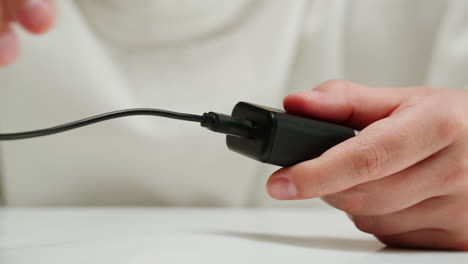
Chargers are among the most essential tech accessories in our daily lives. From smartphones and laptops to wearables and gaming devices, everything relies on a stable and efficient charging solution. While most gadgets come with a charger in the box, many users find themselves looking for extras—whether to replace a lost one, keep spares in different locations, or upgrade to faster, safer, and more versatile options.
However, the wide range of chargers on the market can be confusing. Should you choose a USB-C charger, wireless charger, or multi-port charging hub? What about charging speeds, compatibility, or safety certifications? This guide will break it all down so you can make an informed decision and choose a charger that matches your needs.
Devices | Features | Price |
|---|---|---|
45W Super Fast Charger | Samsung |
What to Consider Before Buying a Charger
1. Compatibility
Not every charger works with every device. Some points to check include:
- Connector Type: USB-C, Lightning, or Micro-USB.
- Laptop Charging Support: High-wattage chargers are required for modern laptops.
- Universal Compatibility: Many chargers now support multiple device types.
2. Charging Speed
Charging speeds are measured in watts (W). Faster chargers save time, but only if your device supports them.
- Standard charging: 5W–12W, suitable for small devices.
- Fast charging: 18W–30W, ideal for smartphones and tablets.
- High-powered charging: 45W–100W, for laptops and power-hungry gadgets.
3. Port Options
Consider whether you need:
- Single-port charger: Compact and portable.
- Multi-port hub: Great for families, offices, or travel.
- GaN (Gallium Nitride) chargers: Smaller, faster, and more efficient.
4. Wireless vs. Wired
- Wired chargers: Reliable, faster, and usually cheaper.
- Wireless chargers: Convenient and clutter-free but may be slower.
5. Safety Features
A high-quality charger should protect your devices with:
- Over-voltage protection
- Over-current protection
- Over-temperature protection
- Certifications like UL, CE, or FCC
6. Portability and Design
Travelers may prefer foldable plugs or slim designs, while desk setups may benefit from charging stations with multiple slots.
Product Summary: Types of Chargers
Here’s a breakdown of the most common charger types available today:
- Wall Chargers: Classic plug-in chargers for phones, tablets, and laptops.
- Car Chargers: Provide power on the road via a cigarette lighter port.
- Wireless Charging Pads: Convenient for overnight charging or quick access.
- Portable Chargers (Power Banks): On-the-go energy storage for emergencies.
- Charging Stations: Multi-device hubs for homes and offices.
- GaN Chargers: Compact, efficient, and powerful enough to replace bulkier models.
Pros & Cons of Different Chargers
| Type | Pros | Cons |
|---|---|---|
| Wall Charger | Reliable, affordable, widely compatible | Limited to one or two ports |
| Car Charger | Great for travel, portable | Dependent on vehicle power |
| Wireless Charger | Cable-free convenience | Slower than wired charging |
| Power Bank | Works anywhere without an outlet | Must be recharged itself |
| Charging Station | Organizes multiple devices | Bulky for travel |
| GaN Charger | Compact, powerful, energy-efficient | Higher upfront cost |
Who It’s Best For
- Students: A multi-port charger helps keep phones, tablets, and laptops powered.
- Frequent Travelers: Compact, foldable wall chargers or car chargers are ideal.
- Families: Charging stations simplify the mess of multiple cords.
- Business Professionals: High-watt GaN chargers keep laptops and phones charged quickly.
- Casual Users: Standard wall chargers or wireless pads work perfectly for everyday use.
Real-World Use Cases
- In the Office: A charging hub on your desk keeps your phone, wireless earbuds, and laptop ready.
- During Road Trips: Car chargers ensure your navigation app never dies mid-route.
- At Home: Wireless pads by the bedside provide overnight charging without cable clutter.
- For Travelers: GaN chargers fit in carry-on luggage, replacing multiple bulky adapters.
- In Emergencies: Power banks save the day during blackouts or when outdoors.
Expert Insights
- Electrical Engineers recommend chargers with GaN technology for efficiency and heat reduction.
- Tech Reviewers suggest checking if your charger supports Power Delivery (PD) for faster laptop and smartphone charging.
- Travel Experts emphasize the importance of foldable plugs and universal voltage (100–240V) for international use.
FAQs
1. Can one charger work for all devices?
Yes, many USB-C and GaN chargers support multiple devices, including smartphones, tablets, and laptops.
2. Is wireless charging bad for battery health?
No, but it can generate more heat, which slightly impacts long-term battery performance.
3. How many watts do I need for a laptop?
Most ultrabooks require 45W–65W, while larger laptops may need up to 100W.
4. Are cheap chargers safe?
Not always. Low-quality chargers may lack proper certifications and pose fire hazards.
5. Can I use my phone while charging?
Yes, but it may slow the charging process and generate extra heat.
6. Do GaN chargers really make a difference?
Yes, they’re smaller, more energy-efficient, and support higher power outputs compared to traditional chargers.
Comparison Table of Charger Options
| Charger Type | Best For | Power Range | Device Support |
|---|---|---|---|
| Wall Charger | Everyday charging | 5W–30W | Phones, tablets |
| Car Charger | Road trips | 12W–45W | Phones, GPS units |
| Wireless Charger | Convenience | 5W–15W | Phones, earbuds |
| Power Bank | Travel & emergencies | 10,000–30,000 mAh | Phones, tablets, laptops |
| Charging Station | Families & offices | 30W–100W | Multiple devices |
| GaN Charger | Professionals & travelers | 45W–100W | Laptops, tablets, phones |
Buying Tips
- Match the wattage to your device needs—avoid underpowered chargers.
- Choose certified chargers to ensure safety and compliance.
- Consider portability if you travel frequently.
- Pick multi-port chargers if you have several gadgets.
- Balance cost and features—premium chargers save space and time but cost more.
Final Recommendation
A charger might seem like a simple purchase, but choosing the right one makes a big difference in convenience, safety, and device performance.
- Budget-conscious buyers can rely on standard wall chargers.
- Frequent travelers should invest in compact GaN or multi-port options.
- Families and offices benefit from large charging stations that keep everything organized.
- Tech-savvy users will enjoy wireless pads for convenience and high-watt GaN chargers for performance.
Ultimately, the best charger is one that balances speed, safety, compatibility, and portability according to your lifestyle. With the right choice, you’ll never worry about a dead battery at the wrong time again.