
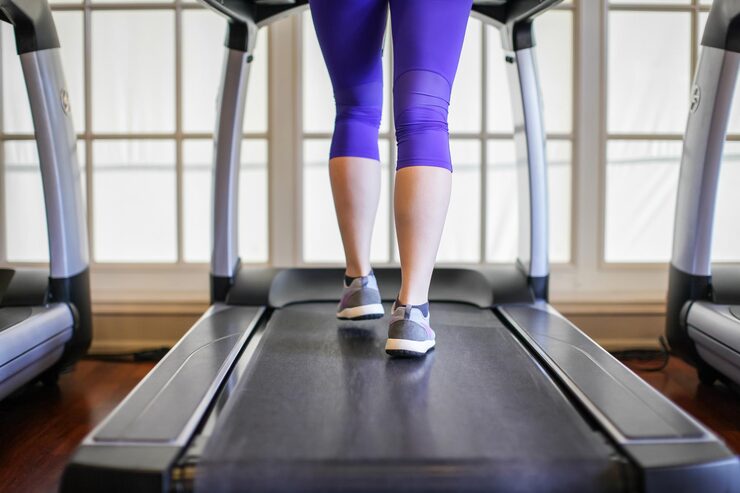
Modern lifestyles often demand long hours of sitting—whether at work, school, or home. This sedentary routine can take a toll on both physical health and mental well-being. Enter the under desk walking pad, a compact treadmill designed for everyday use. With features like app control, training courses, and AI-based guidance, walking pads are no longer just simple exercise devices—they’re smart fitness companions.
One standout type is the raceable walking pad that accommodates heavier users, supports higher weight capacities (up to 159kg), and offers AI training integration. These treadmills combine fitness, technology, and convenience, making them suitable for a broad range of users—from office workers to fitness enthusiasts.
This buying guide will help you understand what to look for when shopping for a walking pad with app control and AI training, including key features, pros and cons, and expert insights to help you make a smart purchase.
Devices | Features | Price |
|---|---|---|
Walking Pad | App Control |
What to Consider Before Buying
1. Weight Capacity
- Standard walking pads often support up to 100–120kg, but heavy-duty models can go up to 136–159kg.
- Choosing the right capacity ensures safety, durability, and smoother performance.
2. Motor Power & Speed
- Look for motors with low noise levels (ideal for office use).
- Speed ranges of 1–6 km/h are typical for walking, while higher ranges may support light jogging.
3. App Integration & Smart Features
- App Control: Lets you adjust speed, track steps, and monitor calories directly from your phone.
- AI Training: Personalized feedback and training plans keep workouts engaging.
- Training Courses: Preloaded guided workouts for beginners and advanced users alike.
4. Portability & Storage
- Foldable or slim-profile models fit under desks or beds.
- Wheels improve mobility, making them easy to move around the house or office.
5. Noise Level
- Quiet treadmills (<60 dB) allow you to walk while on calls, studying, or watching TV without distractions.
6. Build Quality
- Look for non-slip belts, reinforced frames, and shock-absorption technology.
- Premium models ensure smoother walking and reduce strain on joints.
7. Connectivity
- Compatibility with smart devices enhances usability.
- Some pads integrate with fitness trackers or third-party health apps.
Product Summary
Here’s a breakdown of what a raceable walking pad with app control and AI features typically offers:
| Feature | Why It Matters | Best For |
|---|---|---|
| Weight Capacity (136–159kg) | Accommodates heavy users, ensures durability | Plus-size users, long-term reliability |
| App & AI Control | Personalized training, easy speed management | Tech-savvy users, guided workouts |
| Training Courses | Adds variety and structured exercise plans | Beginners or those needing motivation |
| Foldable/Compact Design | Saves space, easy to store under furniture | Small apartments, office use |
| Quiet Motor | Enables discreet exercise | Work-from-home setups, shared spaces |
| Non-Slip Belt & Safety | Enhances grip and stability | All users, especially beginners |
Pros & Cons
Pros
- Supports heavy users with up to 159kg capacity.
- App integration for real-time tracking and control.
- AI training courses for customized fitness guidance.
- Space-saving design—fits under desks or beds.
- Low-noise operation suitable for offices or shared spaces.
- Encourages daily activity without disrupting routines.
Cons
- Not designed for intense running—primarily for walking/light jogging.
- Higher cost than basic treadmills.
- Requires smartphone or tablet for full app features.
- Limited incline options compared to full-sized treadmills.
Who It’s Best For
- Office Workers: Ideal for staying active during meetings or work hours.
- Heavy Users: With capacities up to 159kg, it provides a sturdy, safe experience.
- Small-Space Dwellers: Apartments, dorms, or home offices with limited room.
- Tech-Savvy Users: Those who enjoy app-based control and AI training.
- Beginners: Guided training courses make it easy to start fitness routines.
- Rehabilitation Users: Low-impact exercise that’s easy on joints.
Real-World Insights
- Work-Life Balance: Walking pads let you exercise without leaving your desk, boosting productivity and health simultaneously.
- Consistency: Having one at home removes the excuses—rain, traffic, or lack of time.
- Accessibility: AI coaching helps beginners build sustainable fitness habits.
- Heavy User Confidence: Knowing the treadmill supports higher weights gives users reassurance and long-term reliability.
Feature Comparison Table
| Feature | Raceable Walking Pad | Basic Walking Pad | Full-Sized Treadmill |
|---|---|---|---|
| Weight Capacity | 136–159kg (heavy-duty) | 100–120kg | 120–180kg |
| Portability | High (foldable, slim) | High (foldable) | Low (large, stationary) |
| Smart Features | AI training, app control | Basic remote control | Advanced but bulky |
| Space Requirement | Minimal, fits under desk/bed | Minimal | High, needs dedicated space |
| Noise Level | Low (office-friendly) | Low–Moderate | Moderate–High |
| Exercise Type | Walking/light jogging | Walking only | Running, incline, advanced modes |
FAQs
1. Can I run on a walking pad?
Walking pads are primarily designed for walking or light jogging. For high-speed running, a full treadmill is recommended.
2. Is a walking pad good for weight loss?
Yes, regular walking burns calories and improves metabolism. Pairing with a healthy diet enhances weight loss results.
3. How much space does it take up?
Most walking pads are slim and fit under desks, sofas, or beds.
4. Does the app work on both Android and iOS?
Yes, most smart walking pads are compatible with both platforms.
5. How quiet is it?
High-quality models run at noise levels under 60 dB, quiet enough for office use.
6. Is it safe for seniors?
Yes, as long as it has a non-slip belt, safety features, and stable speed control, it’s suitable for older adults.
7. What’s the difference between AI training and manual mode?
AI training provides personalized programs based on fitness level, while manual mode allows you to set your own speed.
Final Recommendation
A raceable under desk walking pad with app control and AI training is an excellent investment for anyone looking to stay active without disrupting their daily routine. With its high weight capacity, space-saving design, and smart features, it balances convenience and performance.
Why It’s Worth It:
- Supports heavier users with a sturdy build.
- Smart features enhance training and motivation.
- Compact and quiet, perfect for work-from-home or apartments.
Best Suited For:
- People with sedentary jobs needing more daily movement.
- Users who want guided AI fitness courses for motivation.
- Those living in small spaces who still want effective exercise equipment.
If you’re looking for a walking pad with AI features, app control, and high weight support, this option combines modern tech with everyday fitness needs—making it a practical, smart, and health-conscious choice.