
Devices | Features | Price |
|---|---|---|
Wifi Extender | Smart Booster |
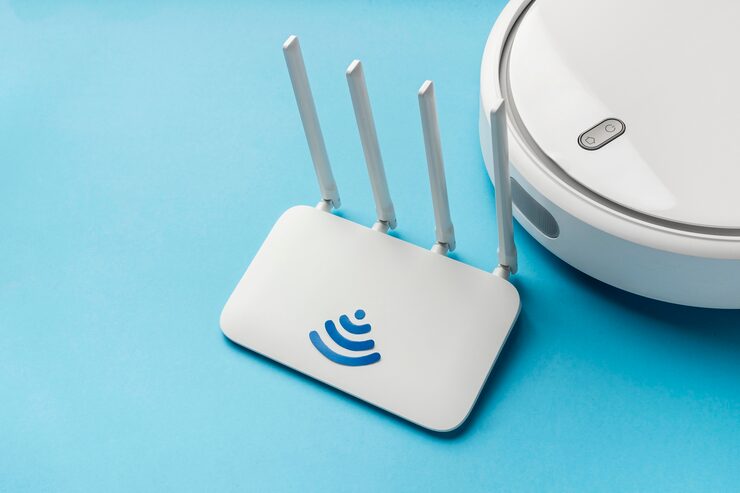
Few things are more frustrating than weak WiFi. Whether you’re streaming a movie, joining a video call, or gaming online, dead zones and dropped connections can disrupt everything. A WiFi extender booster with an Ethernet port is a practical solution for enhancing coverage and improving connectivity in your home or office.
These devices rebroadcast your router’s signal, extending WiFi coverage to areas with poor reception. The addition of an Ethernet port makes them even more versatile, allowing you to connect wired devices such as smart TVs, gaming consoles, or desktop computers for stable, high-speed connections.
This buying guideline will help you understand what to look for, compare features, explore pros and cons, and decide if a WiFi extender booster is right for your needs.
What to Consider Before Buying a WiFi Extender Booster
1. Coverage Area
- Extenders vary in range, typically from 800 to 2500 square feet.
- Choose a model based on your home or office size.
- Multi-story homes may require more powerful devices.
2. Speed & Bandwidth
- Look for dual-band (2.4GHz + 5GHz) or tri-band options for faster speeds.
- Ensure the extender supports the same or higher speed as your main router.
- Bandwidth is crucial if multiple users stream, work, and game simultaneously.
3. Ethernet Port Functionality
- Connects devices directly for lag-free performance.
- Ideal for gaming consoles, desktops, or streaming boxes.
- Check if the extender supports Gigabit Ethernet for maximum speed.
4. Compatibility
- Most extenders work with any standard router, but always verify.
- Some advanced features may only work with specific routers.
5. Ease of Setup
- Options include one-touch WPS setup or app-based installation.
- Clear instructions and user-friendly apps simplify the process.
6. Security Features
- Look for WPA2 or WPA3 encryption to protect your network.
- Parental controls and guest network options add extra convenience.
7. Design & Placement
- Plug-in extenders are compact and fit directly into wall sockets.
- Desktop models with external antennas offer more power but take more space.
- Placement flexibility is key for maximizing signal reach.
Product Summary Table
| Feature | Why It Matters | Best For |
|---|---|---|
| Coverage Area | Extends WiFi to dead zones | Large homes, multi-room setups |
| Speed & Bandwidth | Supports high-demand tasks | Streaming, gaming, multiple users |
| Ethernet Port | Stable wired connection | Consoles, PCs, smart TVs |
| Compatibility | Works with existing routers | Most households & offices |
| Setup Ease | Saves time and frustration | Non-tech users, quick installations |
| Security | Protects from unauthorized access | Families, offices, remote workers |
| Design | Affects placement and performance | Small apartments, bigger homes |
Pros & Cons of WiFi Extender Boosters
Pros
- Expands coverage to eliminate dead zones.
- Ethernet port adds wired stability for gaming and streaming.
- Affordable alternative to buying a new router.
- Easy setup with plug-and-play models.
- Works with most routers regardless of brand.
Cons
- Reduced speed compared to direct router connection.
- Signal strength depends on placement and distance from the router.
- Multiple devices may strain bandwidth if not dual-band or better.
- Not a mesh system: Won’t provide seamless roaming like mesh WiFi.
Who It’s Best For
A WiFi extender booster with Ethernet port is ideal for:
- Gamers – Ensures stable, lag-free connections through wired ports.
- Remote workers – Reliable video calls and productivity in every room.
- Large households – Extends WiFi to bedrooms, basements, or attics.
- Streaming enthusiasts – Smooth HD or 4K video playback without buffering.
- Budget-conscious users – More affordable than full network upgrades.
Real-World Insights
- Placement is everything: Installing the extender midway between your router and dead zone delivers the best results.
- Ethernet for the win: Wired connections via the port consistently outperform wireless-only setups for gaming and streaming.
- Better than upgrading your router? For many users, extenders solve coverage issues without the need to replace a working router.
- Security awareness: Some users overlook updating extender firmware, which is crucial for maintaining protection.
Example: A family in a two-story home used a WiFi extender with Ethernet in their basement. It allowed the kids to enjoy uninterrupted gaming while parents streamed 4K movies upstairs—something the main router alone couldn’t handle.
Comparison of Key Features
| Feature | Strengths | Drawbacks | Best Use Case |
|---|---|---|---|
| Dual-Band | Faster speeds, supports multiple devices | More expensive than single-band | Busy households, remote work |
| Tri-Band | Extra bandwidth, less congestion | Higher cost | Large families, power users |
| Plug-In Design | Compact, easy to install | Limited antenna power | Apartments, smaller spaces |
| Desktop Extender | Stronger signal with external antennas | Bulkier, takes desk space | Large homes, multi-floor setups |
| Gigabit Ethernet | Fast wired performance | Slightly higher price | Gaming, 4K streaming |
| Standard Ethernet | Reliable but slower than gigabit | Limited for heavy data transfers | Everyday browsing, video calls |
FAQs
1. Do WiFi extenders reduce internet speed?
Yes, some speed loss is expected, but dual-band or tri-band models minimize this.
2. Can I connect more than one device to the Ethernet port?
Typically, only one device per port. For multiple wired connections, use a switch.
3. Will an extender work with my old router?
Yes, most extenders are compatible with standard routers regardless of age.
4. Is a WiFi extender the same as a mesh system?
No. Extenders expand coverage but don’t create a unified mesh network.
5. How do I know where to place my extender?
Install it halfway between your router and the dead zone for best results.
6. Are WiFi extenders secure?
Yes, as long as you enable WPA2 or WPA3 encryption and keep firmware updated.
Final Recommendation
A WiFi extender booster with Ethernet port is an excellent solution for households or offices struggling with dead zones and unreliable connections. While not as advanced as mesh networks, they provide a budget-friendly, effective fix for most connectivity issues.
When buying, prioritize:
- Coverage area that suits your home size.
- Dual-band or tri-band support for high-speed streaming and gaming.
- Gigabit Ethernet ports for wired devices that need speed and stability.
- Easy setup and strong security features to ensure safe and hassle-free use.
For gamers and streamers, the Ethernet port makes a noticeable difference in performance. For families and remote workers, the extended coverage improves productivity and entertainment across every room.
By choosing a model that balances speed, range, and wired connectivity, you’ll enjoy smoother browsing, stronger signals, and fewer interruptions.
SEO-Friendly Closing Note
When shopping for the best WiFi extender booster with Ethernet port for gaming, streaming, or remote work, focus on range, speed, and compatibility. The right extender not only eliminates dead zones but also ensures wired stability where you need it most.